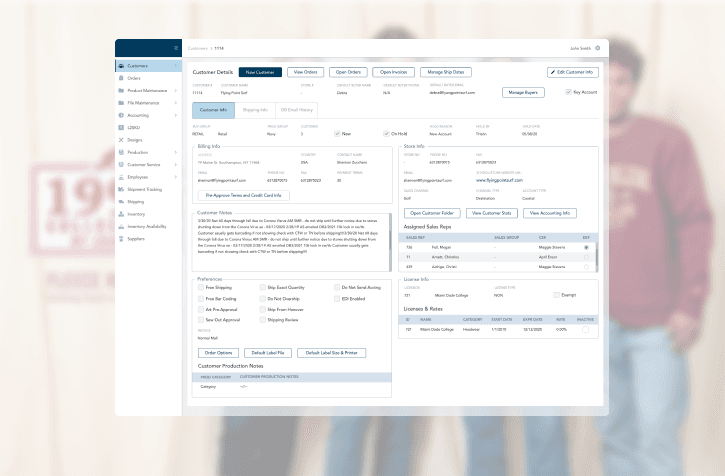
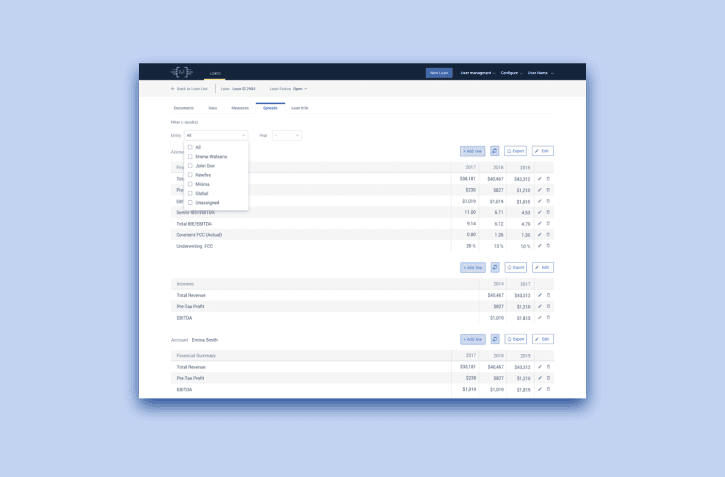
Care Management Platform: From Complexity to Clarity
Care Management Platform: From Complexity to Clarity
HEALTHCARE
Reducing friction for care managers and supervisors in daily audit workflows
Reducing friction for care managers and supervisors in daily audit workflows
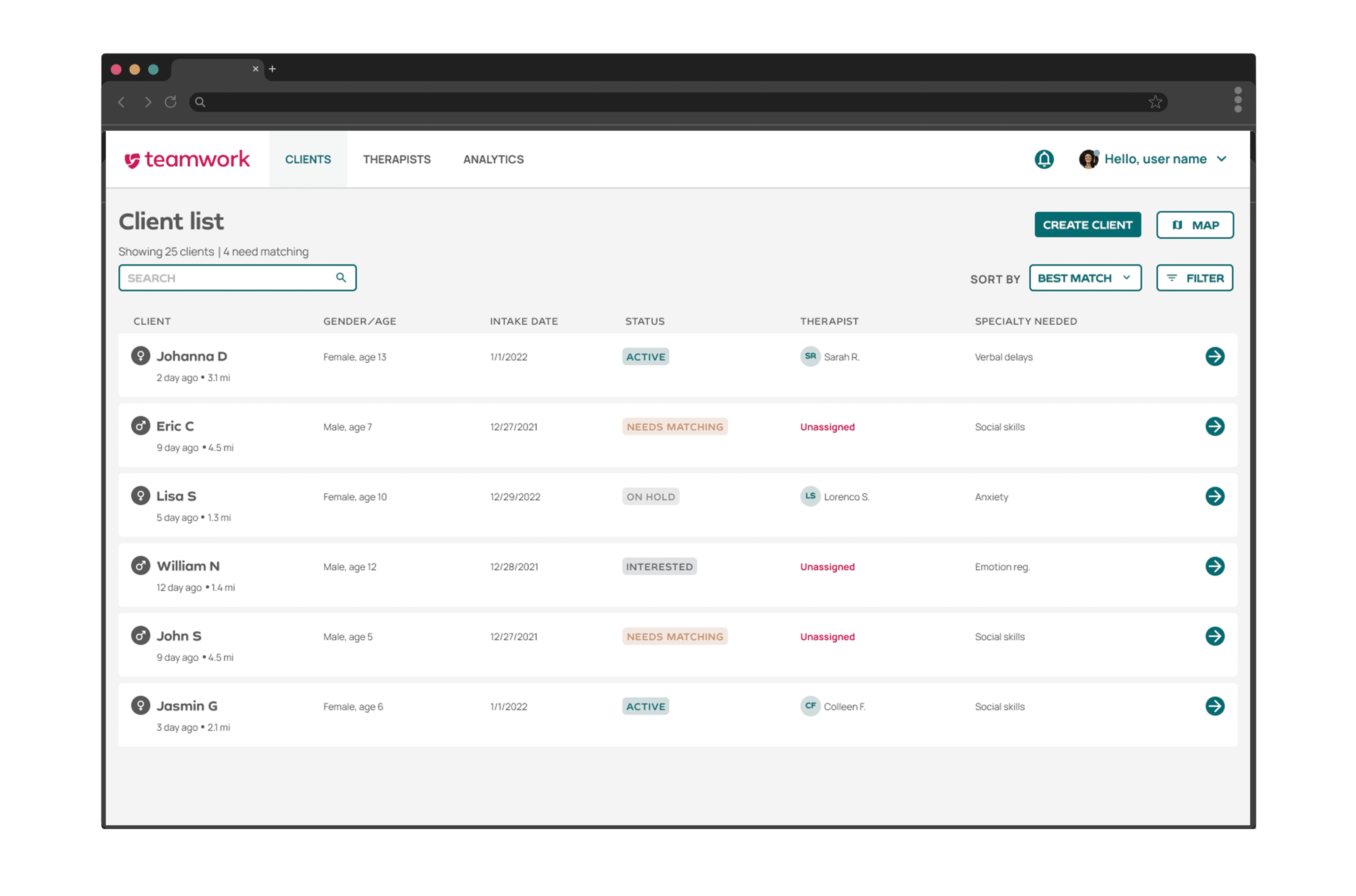
After
After
Centene is an enterprise healthcare platform used by Care Managers, Utilization Managers, Clinical Managers, and Supervisors to coordinate patient care, manage assignments, and ensure compliance across CM & UM workflows.
Centene is an enterprise healthcare platform used by Care Managers, Utilization Managers, Clinical Managers, and Supervisors to coordinate patient care, manage assignments, and ensure compliance across CM & UM workflows.
01 OVERVIEW
01 OVERVIEW
My Role
My Role
Team size
Team size
Project Timeline
Project Timeline
UX designer
UX designer
84
84
June 2023 — ongoing
June 2023 — ongoing
Where the audit trail gets lost
Where the audit trail gets lost
Care managers, utilization managers, supervisors had no quick way to track worklist item changes — forcing them to leave their workflow entirely.
Care managers, utilization managers, supervisors had no quick way to track worklist item changes — forcing them to leave their workflow entirely.
USER PROBLEM
BUSINESS PROBLEM
CM, UM and supervisors had to navigate to a separate Activity Feed page to find any history of WLI changes. The feed contained everything — not just worklist items — making it hard to find relevant information quickly.
No history visible within the worklist itself
Multiple clicks and screen switches required
High cognitive load during time-sensitive audits
CM, UM and supervisors had to navigate to a separate Activity Feed page to find any history of WLI changes. The feed contained everything — not just worklist items — making it hard to find relevant information quickly.
No history visible within the worklist itself
Multiple clicks and screen switches required
High cognitive load during time-sensitive audits
Every minute spent searching for item history was time away from patient care. Without quick access to audit trails, supervisors couldn't efficiently oversee daily workflows or ensure compliance.
Audit checks were slow and inconsistent
Supervisors lacked clear oversight of CM activity
Compliance workflows were harder to scale
Every minute spent searching for item history was time away from patient care. Without quick access to audit trails, supervisors couldn't efficiently oversee daily workflows or ensure compliance.
Audit checks were slow and inconsistent
Supervisors lacked clear oversight of CM activity
Compliance workflows were harder to scale
02 THE PROBLEM
02 THE PROBLEM
Too many clicks, too little context
Too many clicks, too little context
Poor visibility = compliance risk
Poor visibility = compliance risk
03 WHO IS FOR
PRIMARY USER
SECONDARY USER
OUT OF SCOPE
The people who match therapists to clients daily. They own the
workflow — every design decision was made for them first.
The therapists who travel to clients. They need clear schedules and smooth onboarding to new clients — but don't drive the matching decision.
They receive the outcome of a good match but don't interact with the matching platform. Progress tracking for caregivers was deprioritized to a later release.
Caregivers / Families
Behavior Therapists (BTs)
Staffers / Coordinators
03 WHO IS IT FOR
PRIMARY USER
PRIMARY USER
SECONDARY USER
The main users of the worklist — they create, assign, reschedule, and complete items daily. Quick access to history is critical for their audit checks and compliance tasks.
They oversee care managers' work and rely on WLI history to review team activity, track changes, and ensure workflow accuracy across their department.
They monitor daily compliance and use WLI history to audit care manager activity, identify issues early, and ensure all workflows meet required standards.
Care Manager (CM)
Utilization Managers
Supervisors
04 WHAT WE WANT TO BUILD
04 WHAT WE WANT TO BUILD
Design an intuitive, efficient platform that helps care managers navigate complex healthcare workflows with confidence — reducing cognitive load, minimizing unnecessary clicks, and surfacing the right information at the right moment.
Redesign the Worklist Item History experience to give care managers and supervisors fast, contextual access to item changes — directly within their workflow — eliminating the need to switch screens and reducing friction in daily audit and compliance tasks.
PROJECT GOAL
PROJECT GOAL
FEATURE GOAL
FEATURE GOAL
Research → 2 core findings
Research → 2 core findings
We conducted research sessions with 5 CM, UM, and supervisors to understand how they currently access and use worklist item history.
We conducted research sessions with 5 CM, UM, and supervisors to understand how they currently access and use worklist item history.
05 HOW WE KNEW
01
01
02
02
Care managers had to leave the worklist entirely and navigate to a separate Activity Feed page to find any record of item changes — breaking their focus and adding unnecessary steps to an already complex workflow.
Care managers had to leave the worklist entirely and navigate to a separate Activity Feed page to find any record of item changes — breaking their focus and adding unnecessary steps to an already complex workflow.
The Activity Feed contained all platform activity in one place — not just worklist items. Finding a specific change required scrolling through unrelated updates, making audits slow and frustrating.
The Activity Feed contained all platform activity in one place — not just worklist items. Finding a specific change required scrolling through unrelated updates, making audits slow and frustrating.
No history visible in context
No history visible in context
Too much noise, not enough signal
Too much noise, not enough signal
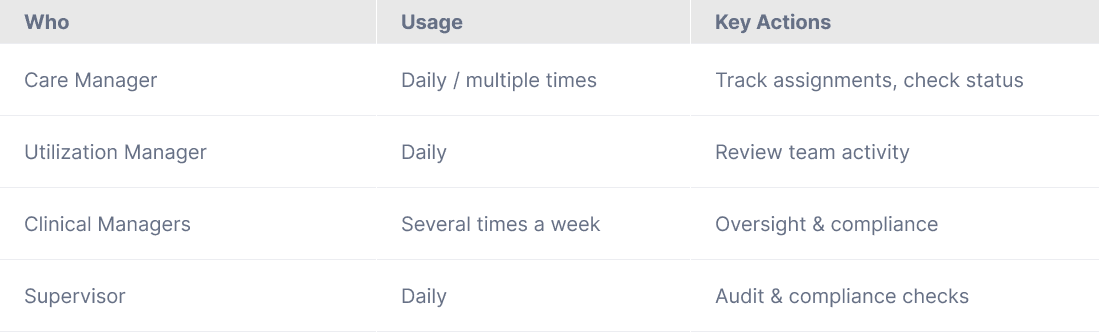
Built from interview synthesis — this map kept every design decision grounded in real user behavior.
Built from interview synthesis — this map kept every design decision grounded in real user behavior.
RESEARCH ARTIFACTS 01 USER ROLES & FREQUENCY
RESEARCH ARTIFACTS 01
USER ROLES & FREQUENCY
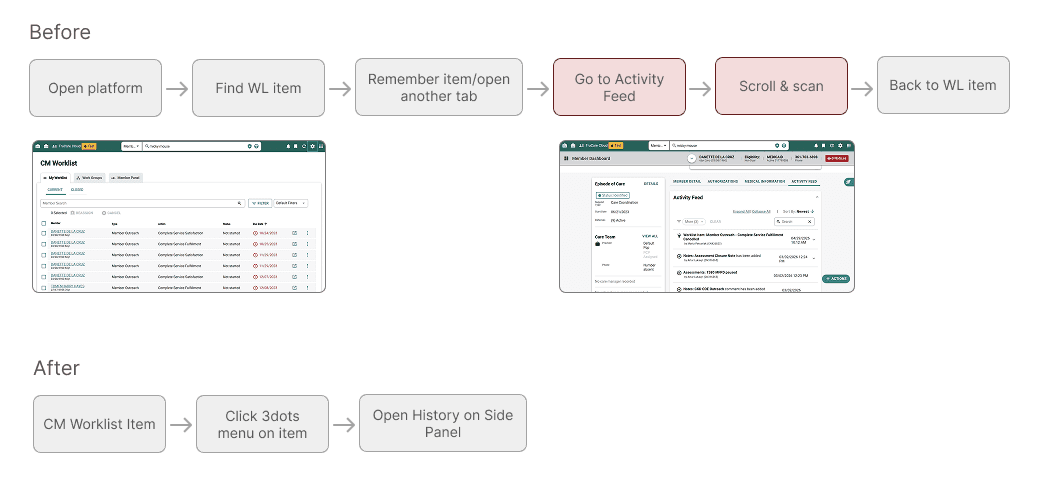
Care managers had no direct path to WLI history. To review any item's changes, they had to leave the worklist entirely, navigate to a separate Activity Feed page — which contained all platform activity mixed together — manually scroll and scan for relevant updates, then switch back to the worklist to continue their work.
Care managers had no direct path to WLI history. To review any item's changes, they had to leave the worklist entirely, navigate to a separate Activity Feed page — which contained all platform activity mixed together — manually scroll and scan for relevant updates, then switch back to the worklist to continue their work.
RESEARCH ARTIFACT 02 USER FLOW
RESEARCH ARTIFACT 02
USER FLOW

05 ITERATION 1
What I tried, and what didn't work
What I tried, and what didn't work
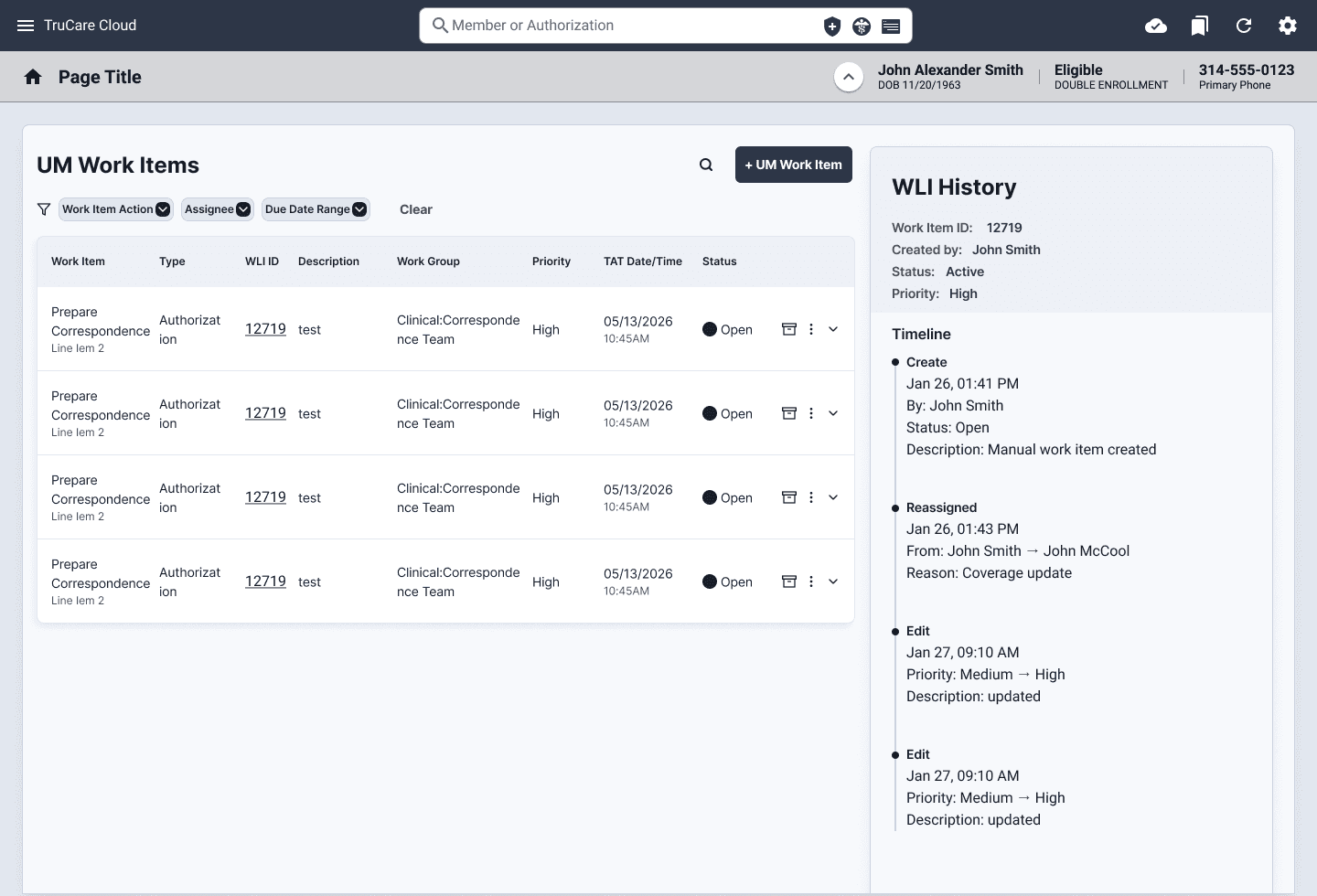
We tested 3 solutions with 5 users across CM & UM roles. Each solution addressed the core need — contextual, on-demand access to WLI history — but revealed different trade-offs.
We tested 3 solutions with 5 users across CM & UM roles. Each solution addressed the core need — contextual, on-demand access to WLI history — but revealed different trade-offs.
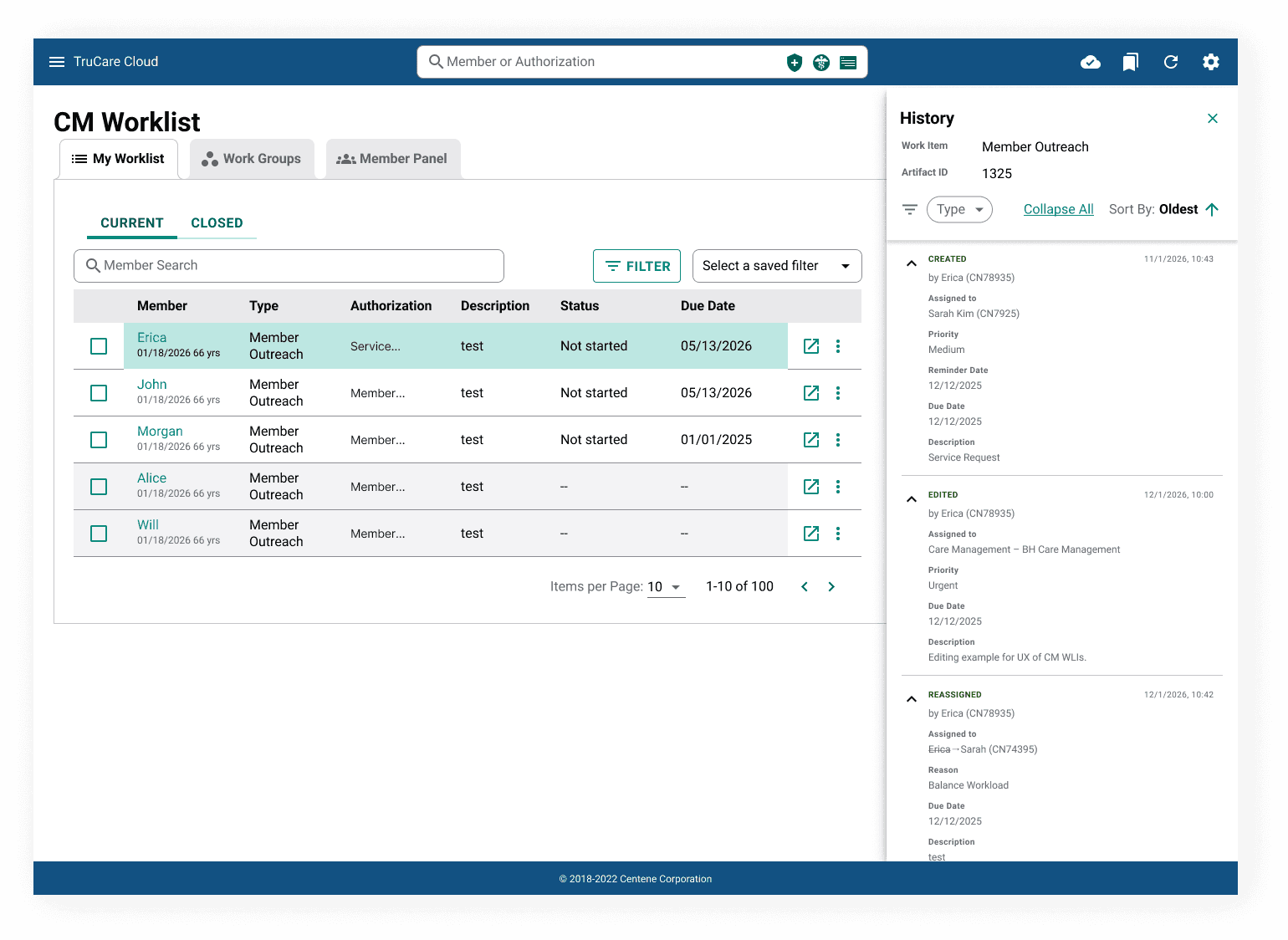
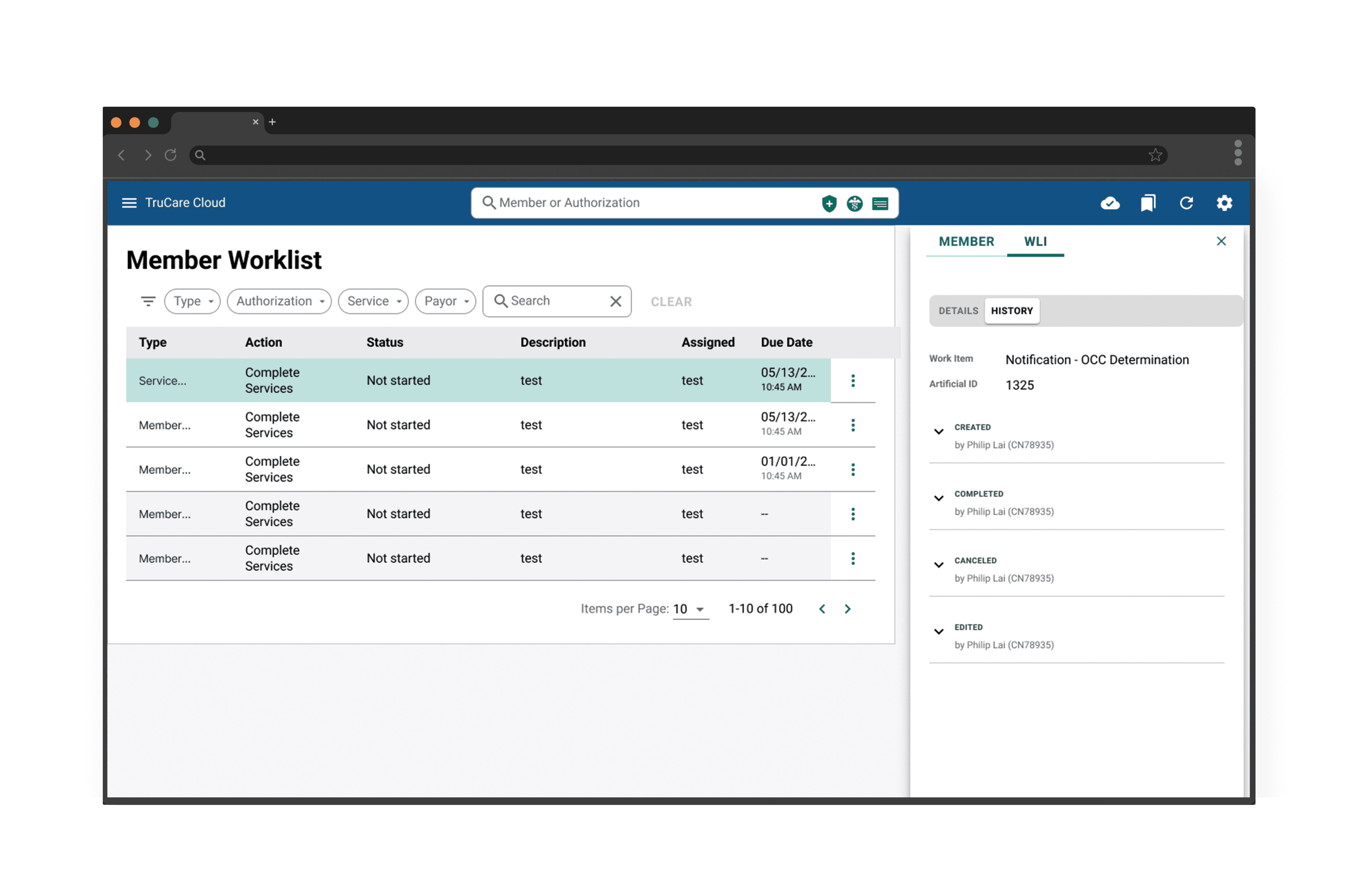
History opens inline alongside the worklist item, keeping users in full context without leaving the page.
History opens inline alongside the worklist item, keeping users in full context without leaving the page.
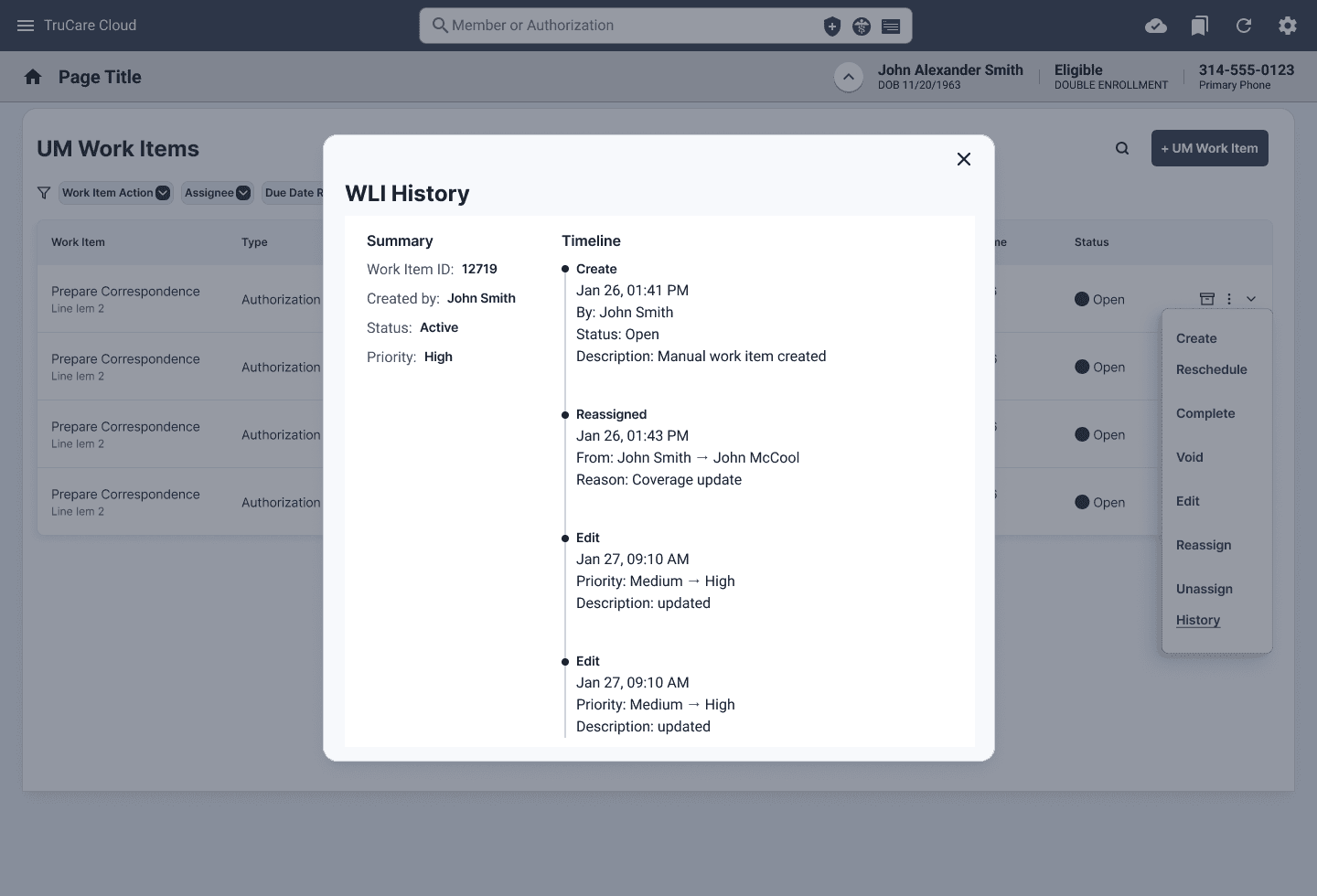
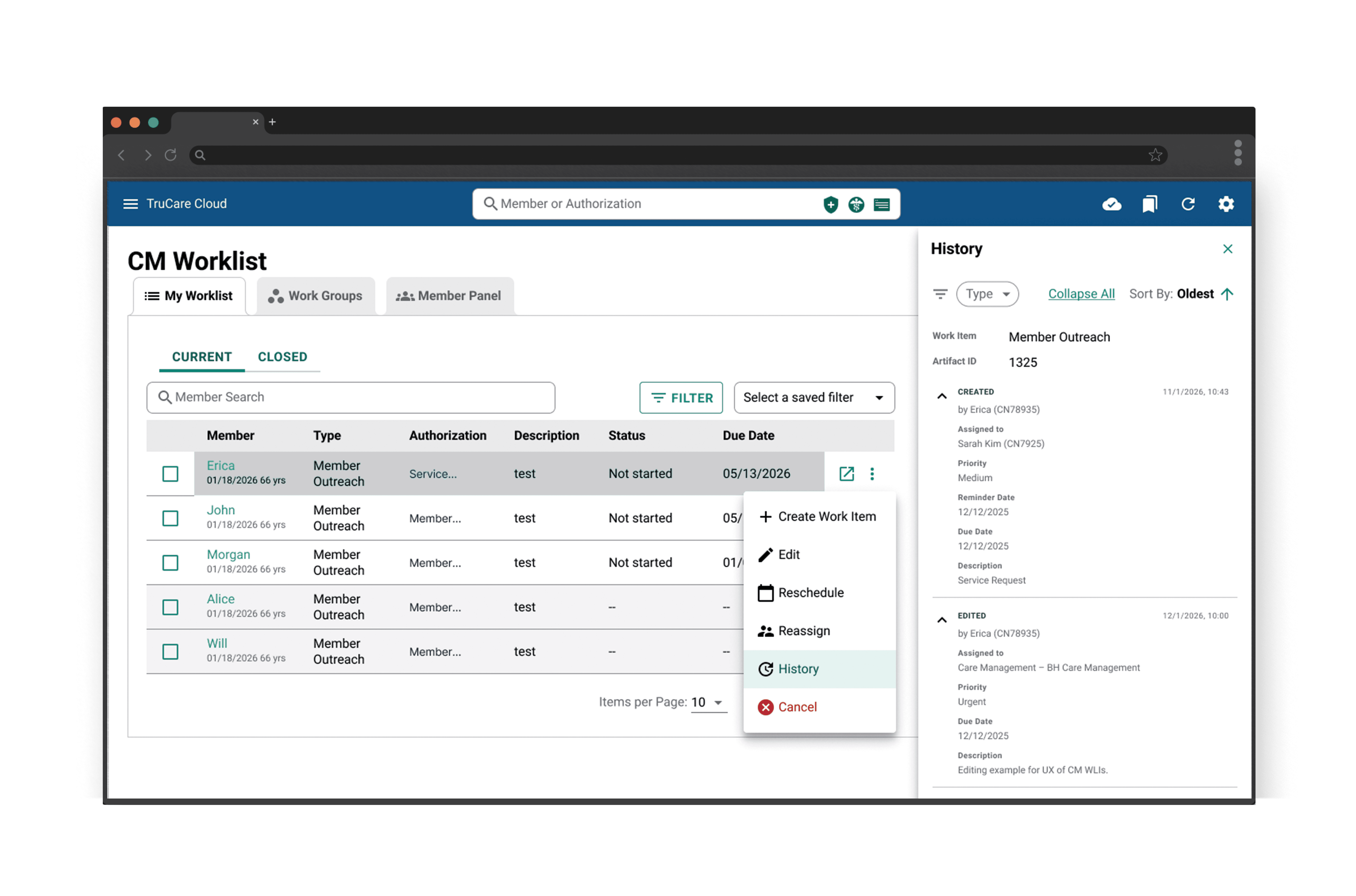
History opens in a focused overlay with full timeline, timestamps, filters and description.
History opens in a focused overlay with full timeline, timestamps, filters and description.
Solution 1
Solution 1
Solution 2
Solution 2
Solution 3
Solution 3
Key findings
Users want on-demand access, not always visible
Need timeline with clear timestamps
Require sorting & filtering capabilities
Core data must be consistently available
“Because I don't always need to know the history for every single one of them. But I think if you have the option, then you can just click on it”
Jil, Care Manager
What worked
Users stayed in context — no screen switching
Timeline with timestamps was clear and scannable
Felt natural for CM daily workflow
What worked
Users stayed in context — no screen switching
Timeline with timestamps was clear and scannable
Felt natural for CM daily workflow
What worked
Works across all pages regardless of layout
Clear, focused view with no distractions
Supported all core data needs — who, when, what
What worked
Attempted to balance summary and detail
Inline approach for UM use case
What didn't work
Cannot be implemented on all pages — too much existing content and data leaves no room for a persistent panel
Created layout conflicts on dense screens
What didn't work
Cannot be implemented on all pages — too much existing content and data leaves no room for a persistent panel
Created layout conflicts on dense screens
What didn't work
Extra click to close before continuing workflow
Users lose visual context of the worklist while reviewing history
What didn't work
Added complexity without clear benefit over Solutions 1 and 2
Users found it confusing — two steps to get to history
Least preferred across all roles
A hybrid combining a quick summary panel with access to full history in a separate view.
A hybrid combining a quick summary panel with access to full history in a separate view.
Clear Timeline
Filter
Sorting
Expand All
06 ITERATION 2
What the first round told us
What we improved
What we improved
On demand access by 3 dots menu
Final Round
Final Round
We tested 3 solutions with 5 users across CM & UM roles. Each solution addressed the core Testing three solutions gave us a clear direction — but not yet a final answer.
Users responded positively to Solutions 1 and 2, confirming that on-demand, contextual access to history was the right approach. Solution 3 was eliminated — the hybrid added complexity without improving clarity or speed.
However, both remaining solutions had unresolved trade-offs:
Solution 1 (Side Panel) felt natural and kept context — but couldn't scale across all pages due to layout constraints
Solution 2 (Modal) worked everywhere — but needed refinement in structure, filtering, and how users trigger it
One key insight emerged across all sessions: users didn't just want to see history — they needed to control it. Filter, sort, expand, collapse. The data was there — the interaction wasn't ready yet. — contextual, on-demand access to WLI history — but revealed different trade-offs.
We tested 3 solutions with 5 users across CM & UM roles. Each solution addressed the core Testing three solutions gave us a clear direction — but not yet a final answer.
Users responded positively to Solutions 1 and 2, confirming that on-demand, contextual access to history was the right approach. Solution 3 was eliminated — the hybrid added complexity without improving clarity or speed.
However, both remaining solutions had unresolved trade-offs:
Solution 1 (Side Panel) felt natural and kept context — but couldn't scale across all pages due to layout constraints
Solution 2 (Modal) worked everywhere — but needed refinement in structure, filtering, and how users trigger it